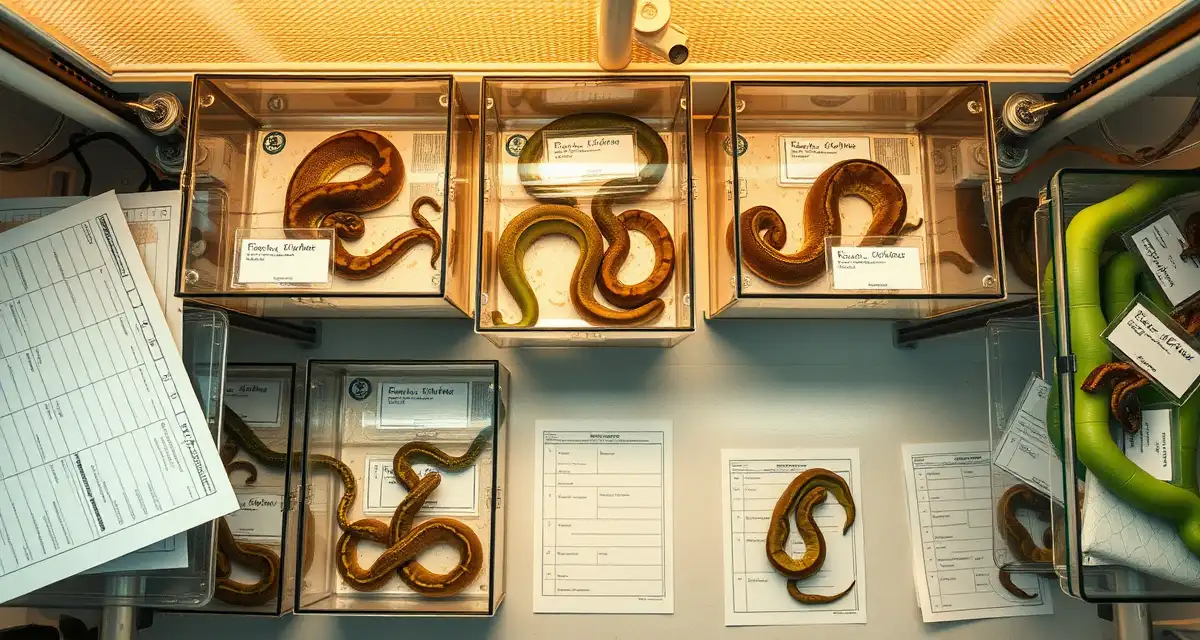
Green Tree Python Hatchling Inventory Management: Complete Breeder Guide
By HatchLedger Editorial Team · Published 2025-01-20 · Updated Mar 13, 2026
Green tree python hatchling inventory management gets complex fast. A single productive season with multiple breeding females can produce 50 to 100 hatchlings, each requiring individual tracking of feeding history, weight, morph identification, and sale status. Without a system, animals fall through the cracks, sale documentation is incomplete, and you can't accurately calculate what each clutch earned. Breeders using integrated software report 30% less time on administrative tasks, and for breeders managing GTP hatchling inventory, that time savings is directly proportional to collection size.
TL;DR
- Green tree pythons (Morelia viridis) are arboreal specialists requiring perch-based enclosures and husbandry quite different from terrestrial pythons.
- Breeding is triggered by a dry season simulation with reduced humidity and a modest temperature reduction over 6-8 weeks.
- Clutch sizes average 12-25 eggs, with Biak locale animals producing larger clutches than Sorong or Aru.
- Incubation runs 47-52 days at 84-86 degrees Fahrenheit, shorter than most python species at equivalent temperatures.
- Locale documentation is critical: Biak, Sorong, Aru, Kofiau, and locality blends all carry distinct market values and buyer expectations.
This guide covers how to structure your hatchling inventory records from hatch to sale, so every animal is documented and nothing gets lost.
Assigning IDs at Hatch
Your inventory management system starts the moment a hatchling emerges. Assign a unique ID to every hatchling immediately at hatch. Don't wait until feeding is established or until you've assessed morph status. Every animal gets an ID on hatch day.
A simple ID convention: clutch ID plus sequential number within the clutch. If your clutch is C-24-003, your hatchlings become C-24-003-01, C-24-003-02, and so on. This ID links every subsequent record for that animal back to its clutch, and through the clutch to its pairing and parent records.
Record at hatch:
- Hatchling ID
- Parent clutch ID
- Hatch date
- Hatch weight
- Visual morph assessment (note if uncertain)
- Any visible abnormalities
The Essential Data Points for Each Hatchling
Feeding History
This is the most operationally demanding part of GTP hatchling inventory. Each hatchling needs a feeding log from the first attempt onward, including:
- Date of each feeding attempt
- Prey type (pinky, hopper, lizard-scented pinky, live)
- Prey size
- Method (tong fed, leave-in, bag method, etc.)
- Outcome (swallowed, struck only, no response)
For a collection of 40 hatchlings, this is 40 individual feeding logs updated multiple times per month. Spreadsheets handle this poorly at scale. Each feeding event becomes a row in a growing table that's increasingly unwieldy to navigate and easy to break with accidental formula errors.
HatchLedger's reptile breeder hub structures this as individual animal records with event logs attached, so each hatchling's feeding history is always accessible and never mixed with other animals' records.
Weight Tracking
Weigh hatchlings weekly for the first 90 days, then monthly once they're established feeders. Log every weight with the date. You're looking for steady gain after feeding is established and catching any weight loss before it becomes a health crisis.
A hatchling losing weight over multiple consecutive weigh-ins needs intervention. Catching this in your weight log while it's still reversible is only possible if you're logging consistently.
Morph Identification
GTP morph identification can be uncertain at hatch. Most hatchlings are neon yellow or red at birth, and morph traits may not be fully apparent immediately. Update morph status in your records as more information becomes available.
For genetic morphs like axanthic, visual identification at hatch is usually clear. For locale-based color traits and selectively bred lines, adult appearance is the final determination. Be honest in your records about what's confirmed versus expected.
Health Events
Log any health issues, treatments, or vet visits at the individual hatchling level. A hatchling with a retained shed, a minor injury, or a health scare should have that event documented. When the animal eventually sells, the buyer may ask about its health history, and you want accurate records rather than relying on memory.
Managing Sale Status
Your hatchling inventory also needs to track sale status. For each animal, you need to know:
- Available for sale
- Reserved (deposit received, not yet paid in full)
- Sold and shipped/picked up
- Held back for your collection
Tracking deposits is especially important. Buyers in the GTP market often pay deposits months before animals are ready to sell. A deposit log that shows the buyer's name, deposit amount, date received, and which animal it applies to is essential for managing your sales pipeline.
Reptile breeder software comparison resources consistently identify deposit and sales tracking as a critical gap in basic reptile management tools. Spreadsheets handle deposits awkwardly because the sale status of each animal changes over time, requiring manual updates that are easy to miss.
Prioritizing Which Animals to Sell First
In a GTP hatchling cohort, you'll typically want to sell:
- Established feeders before animals that aren't yet eating (established feeders command higher prices)
- Animals matching the most common buyer requests (popular locales and morphs)
- Animals held on deposit to buyers waiting for delivery
Hold back animals from each cohort that you're evaluating for your breeding program. Document the reason each animal is retained rather than sold so your records reflect your selection decisions.
Organizing Physical Hatchling Space
If you're managing 20 to 50 hatchlings simultaneously, physical organization of their enclosures matters. Label every enclosure with the animal ID. Arrange by clutch if possible so you can identify and work with clutch-mates together.
When an animal sells and moves out, update your inventory records immediately. A sold animal that still shows as available in your records creates confusion and potential double-booking of waitlist buyers.
Connecting Hatchling Inventory to P&L
Every sale from your hatchling inventory should be logged with sale price, buyer information, and payment date. These entries feed into your clutch P&L calculation. When all animals from a clutch are sold, your total revenue for that clutch is complete and you can calculate the actual profit against production costs.
This financial view is only possible when your hatchling inventory records are connected to your clutch financial records. HatchLedger provides this connection automatically, calculating your clutch P&L as sales are recorded without requiring separate financial reconciliation work.
Frequently Asked Questions
What is the best approach to green tree python hatchling inventory management?
Assign IDs at hatch and start complete records immediately. Track feeding attempts and outcomes for every animal on a consistent schedule. Weigh weekly for the first 90 days. Log morph identification as it becomes clear. Maintain sale status including deposits, reservations, and completed sales. Connect your hatchling records to your clutch records so every animal's lineage is traceable from sale back to pairing. A digital system is essential for any cohort beyond 10 to 15 animals; spreadsheets become error-prone and difficult to navigate as your hatchling count grows.
How do professional breeders handle green tree python hatchling inventory management?
Professional GTP breeders create individual records for each hatchling at hatch and update them consistently throughout the animal's time in the collection. They track feeding attempts with outcomes, log weights on a regular schedule, and maintain current sale status for every animal. They also manage deposits carefully, keeping records of which buyer holds a deposit on which animal. They review their inventory regularly to identify animals needing feeding intervention and to communicate accurate availability information to interested buyers. Most use dedicated breeding software to handle the scale of this tracking.
What software helps manage green tree python hatchling inventory management?
HatchLedger is purpose-built for reptile breeders, connecting animal records, breeding history, clutch outcomes, and financial tracking in one system. Unlike generic spreadsheets, it's designed around the specific workflow of an active breeding season. Free for up to 20 animals.
Why is locale documentation so important for green tree pythons?
Buyers of green tree pythons are often very specific about locality. Biak animals are prized for large adult size and a blue ontogenetic coloration phase. Sorong and Aru animals are known for consistent solid green adult coloration. Locality blends from unknown crosses are worth significantly less than documented pure-locale animals. Recording locale information from acquisition through sale is essential.
How long does it take green tree python neonates to change color?
The ontogenetic color change from yellow or red neonate coloration to adult green takes approximately 6-12 months in most locales. Biak animals often go through a blue phase during the transition. Buyers of neonates should understand the timeline. Photographing animals at regular intervals through the color change documents the process and makes for compelling sales content.
What is Green Tree Python Hatchling Inventory Management: Complete Breeder Guide?
Green Tree Python Hatchling Inventory Management: Complete Breeder Guide is a comprehensive resource for GTP breeders covering individual hatchling tracking, feeding history, weight monitoring, morph identification, and sale documentation. It addresses the unique challenges of managing 50-100 hatchlings per season across multiple locale lines including Biak, Sorong, Aru, and Kofiau. The guide helps breeders build systems that prevent animals from being overlooked and ensure accurate per-clutch profitability calculations.
How much does Green Tree Python Hatchling Inventory Management: Complete Breeder Guide cost?
The guide itself is free educational content published on HatchLedger. The inventory management software it references operates on a subscription model, with pricing varying by tier and collection size. Breeders managing larger GTP collections typically find that even a basic paid plan pays for itself quickly — users report saving roughly 30% of time previously spent on administrative tasks, which translates directly to more time for husbandry and sales.
How does Green Tree Python Hatchling Inventory Management: Complete Breeder Guide work?
The guide walks breeders through setting up individual records for each hatchling at pip, then logging feeding responses, weight gain, first shed, and locale verification as the animal progresses. Each record ties back to its clutch and breeding pair, so you can trace lineage, calculate clutch yield, and generate sale documentation automatically. Integration with waitlist and buyer management tools means sold animals move from inventory to sale history without duplicate data entry.
What are the benefits of Green Tree Python Hatchling Inventory Management: Complete Breeder Guide?
Key benefits include eliminating missed feedings and untracked weight loss, maintaining clean locale documentation for Biak, Sorong, Aru, and Kofiau animals, generating accurate per-clutch revenue reports, and reducing administrative overhead by up to 30%. Breeders also gain a professional paper trail for buyers, which builds repeat business and referrals. For GTP breeders working with high-value locality animals, accurate records directly support premium pricing.
Who needs Green Tree Python Hatchling Inventory Management: Complete Breeder Guide?
This guide is built for serious GTP breeders producing multiple clutches per season from several females. It is especially relevant for anyone working with distinct locale lines where documentation affects sale price, breeders selling to collectors who expect detailed records, and anyone who has experienced animals falling through the cracks during a busy hatch season. Hobbyists with a single breeding pair can still benefit, but the ROI scales with collection size.
How long does Green Tree Python Hatchling Inventory Management: Complete Breeder Guide take?
Setting up your initial inventory system takes two to four hours depending on how many animals and historical records you are importing. Once configured, logging a new hatchling at pip takes under two minutes per animal. Ongoing weekly maintenance — weight entries, feeding updates, status changes — runs about fifteen to thirty minutes for a typical clutch of 12-25 hatchlings. Breeders consistently report the upfront setup time is recovered within the first hatch season.
Related Articles
Sources
- USARK (United States Association of Reptile Keepers)
- Association of Reptilian and Amphibian Veterinarians (ARAV)
- CITES Appendix II (international trade documentation)
- Herpetofauna (Australian Herpetological Society)
- Green Tree Python Foundation
Get Started with HatchLedger
Green tree python breeding demands locale documentation, seasonal cycling records, and clutch management that generic spreadsheets handle poorly. HatchLedger keeps your locale lineage, breeding history, and per-clutch records connected so buyers get complete documentation and you build a traceable breeding program. Try it free with up to 20 animals.